 SheetWorkflow Guide
Clean text that only appears to match
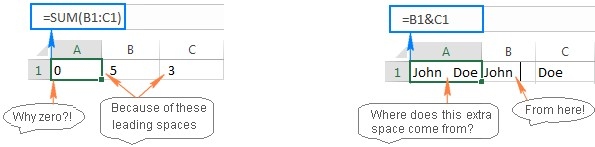
Unexpected spaces can prevent otherwise similar entries from matching or cause formulas to behave unexpectedly. The source explains that TRIM removes leading and trailing ordinary spaces and reduces repeated internal spaces to a single space between words. An expression such as =TRIM(A1) creates a cleaned result from a referenced cell. This is a useful first check when lookups or duplicate comparisons fail on values that appear identical on screen.
Recognize what TRIM does not promise
TRIM was designed for the ordinary ASCII space character, not every possible invisible character found in imported text. That limitation matters when a first cleanup leaves the problem unresolved. Inspect the source and the remaining characters rather than repeatedly applying the same function. A careful cleanup distinguishes redundant spaces from meaningful content and checks the resulting values before using them in comparisons or replacing the original entries.



















Comments (0)