 SheetWorkflow Guide
Choose a condition rather than a permanent color
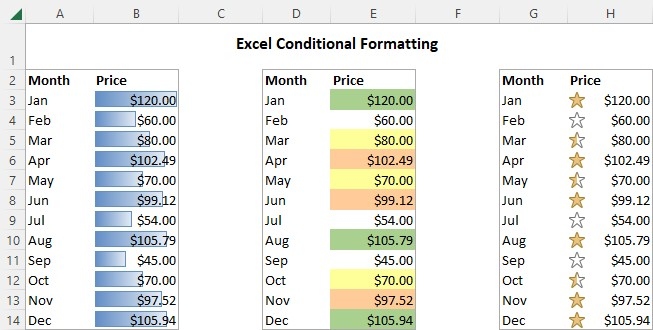
Conditional formatting applies a visual treatment when the selected data meets a rule. The source describes changes to fill, font, borders, and other formatting, with the result responding as the underlying values change. This distinguishes a conditional rule from manually coloring a cell once. It is useful for drawing attention to significant information and differences within a larger spreadsheet without repeating the same formatting work after every update.
Start with a preset and refine the scope
Excel provides predefined rules as well as options for custom conditions. Select the intended cells, choose the comparison that answers the question, and review the resulting emphasis. Rules can later be edited, copied, or removed as the task changes. The goal is a reliable relationship between meaning and appearance. Too much color without a clear condition can obscure the same information the formatting was meant to explain.



















Comments (0)