 SheetWorkflow Guide
Add controls to the dataset
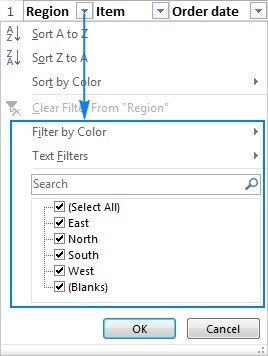
The source introduces sorting and filtering through the Data tab's Filter command. Once the table has header arrows, each column offers choices appropriate to its contents. Numeric values can be arranged from smallest to largest, dates from oldest to newest, and names alphabetically. This provides a practical way to reorganize a large table around the field relevant to the current question.
Distinguish the order from the subset
A sort determines the sequence of the records, while a filter limits which ones are shown. Those operations can support the same analysis but answer different needs. Decide whether the goal is to rank every row or focus on a particular set before selecting a command. Review the resulting table and active conditions afterwards, so a narrowed display is not mistaken for missing data or an ordered list for a filtered result.




















Comments (0)