 SheetWorkflow Guide
Use a formula instead of retyping
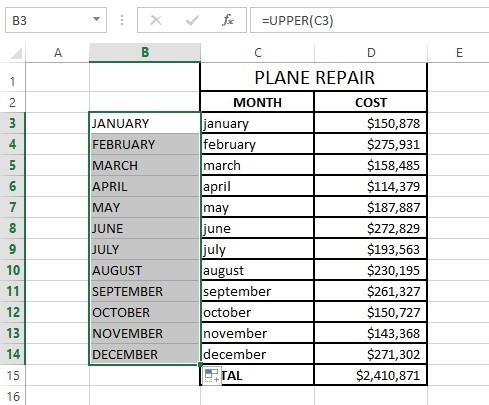
Excel offers UPPER, LOWER, and PROPER to transform the case of text. UPPER converts letters to uppercase, LOWER to lowercase, and PROPER capitalizes the beginning of each word. The source presents these as practical alternatives to manually correcting a long column. A formula can refer to the original cell and produce a standardized version alongside it, making the effect easy to inspect before replacing the source entries.
Choose the convention for the actual names
Different text fields require different conventions, so no one case style is automatically right for every dataset. Review the transformed values, especially where names or abbreviations need particular capitalization. The article also discusses alternatives through other Office tools and add-ins. Start with the simplest method that preserves the intended meaning. Consistent presentation is useful, but it should not come at the cost of changing valid identifiers or preferred spellings.



















Comments (0)