 SheetWorkflow Guide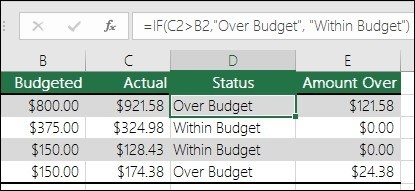
Give an Excel IF Formula Two Deliberate Outcomes
IF evaluates a logical test and returns one result when it is true and another when it is false.
IF evaluates a logical test and returns one result when it is true and another when it is false.
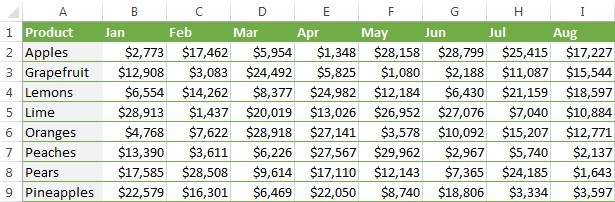
A lookup and a conditional total solve different Excel problems.
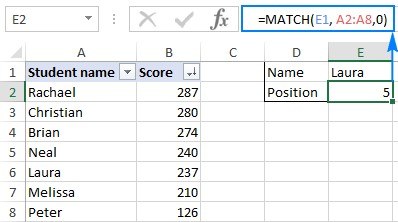
MATCH returns a value's relative position inside a lookup range rather than the value stored in another column.
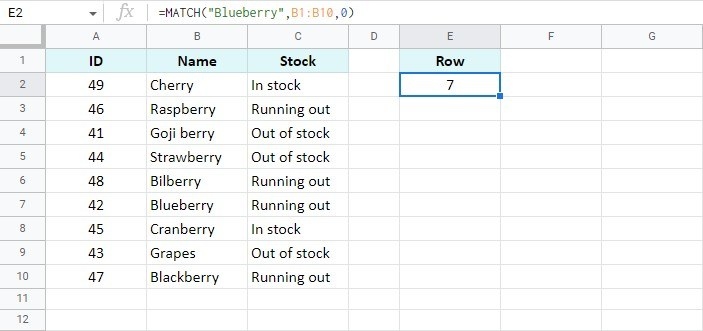
MATCH searches a single row or column and returns the position of a requested value.

VLOOKUP expects the searched column to sit to the left of the returned information.
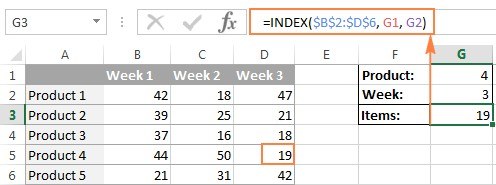
INDEX retrieves an element from a range using a specified row and column position.
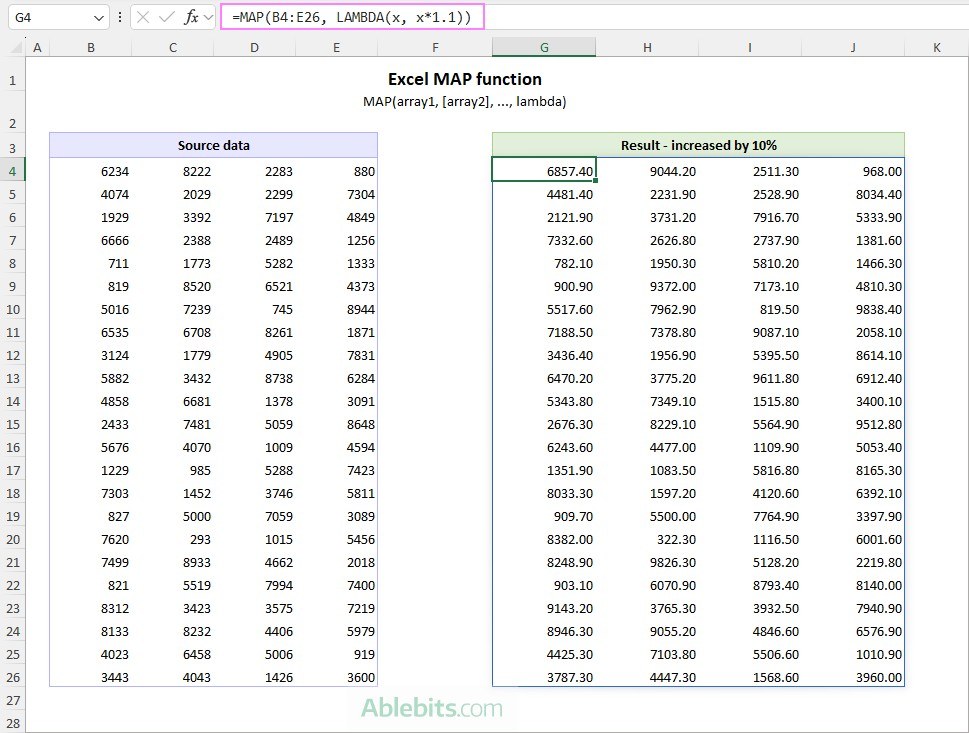
MAP processes each value in an Excel array using a calculation defined by LAMBDA.
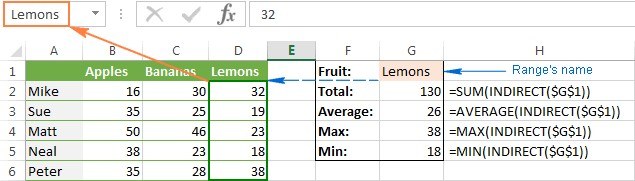
INDIRECT allows an Excel formula to derive its cell or range reference from text.
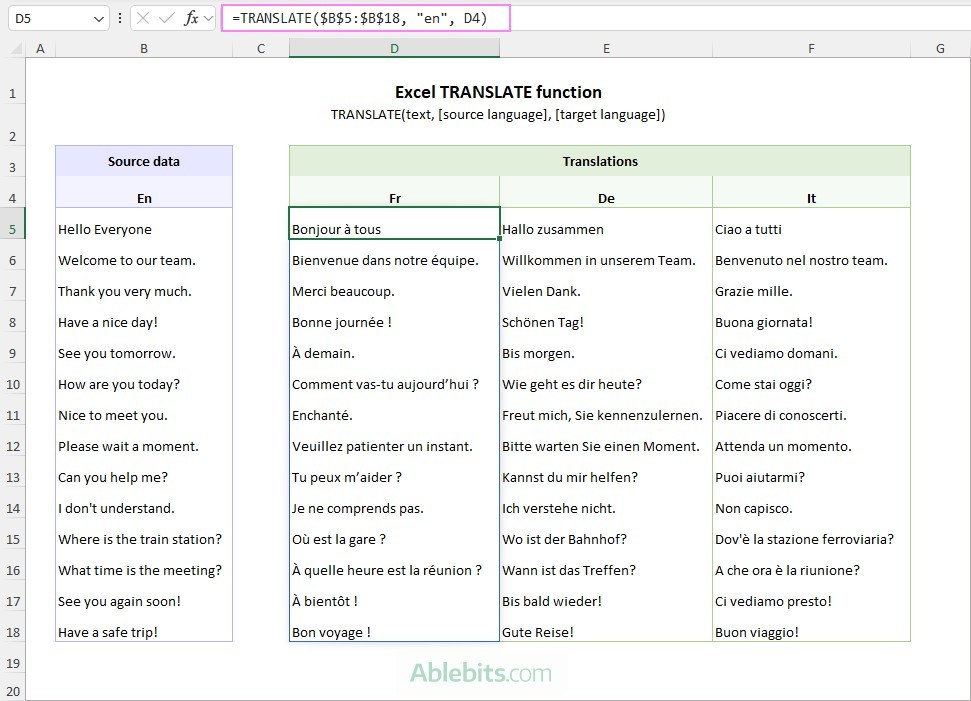
TRANSLATE converts text between languages using Microsoft Translation Services.

QUERY brings database-style selection to a Google spreadsheet.
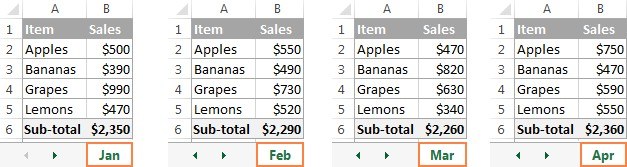
A three-dimensional Excel reference points to the same cell or range across multiple worksheets.
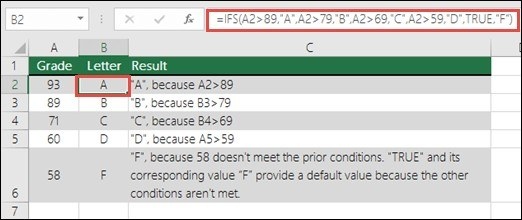
IFS tests conditions in order and returns the value associated with the first one that evaluates to true.
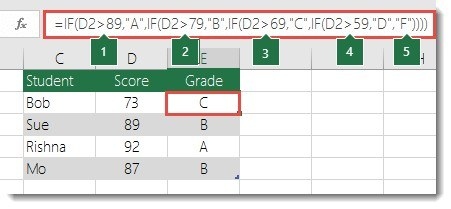
Nesting places one function inside another, allowing IF to evaluate more elaborate situations than a single comparison.
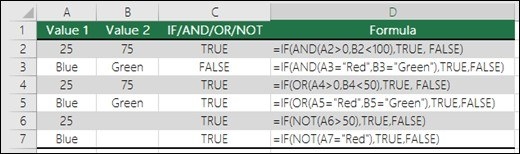
IF can return different outcomes from a test, while AND, OR, and NOT describe relationships inside that test.
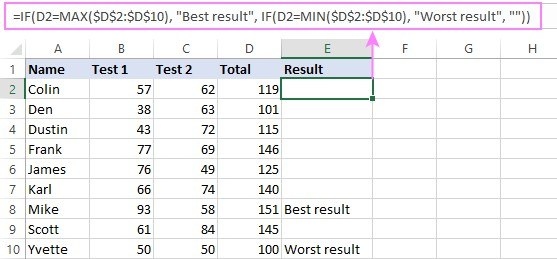
An IF formula can evaluate several conditions by combining its logical test with AND or OR.
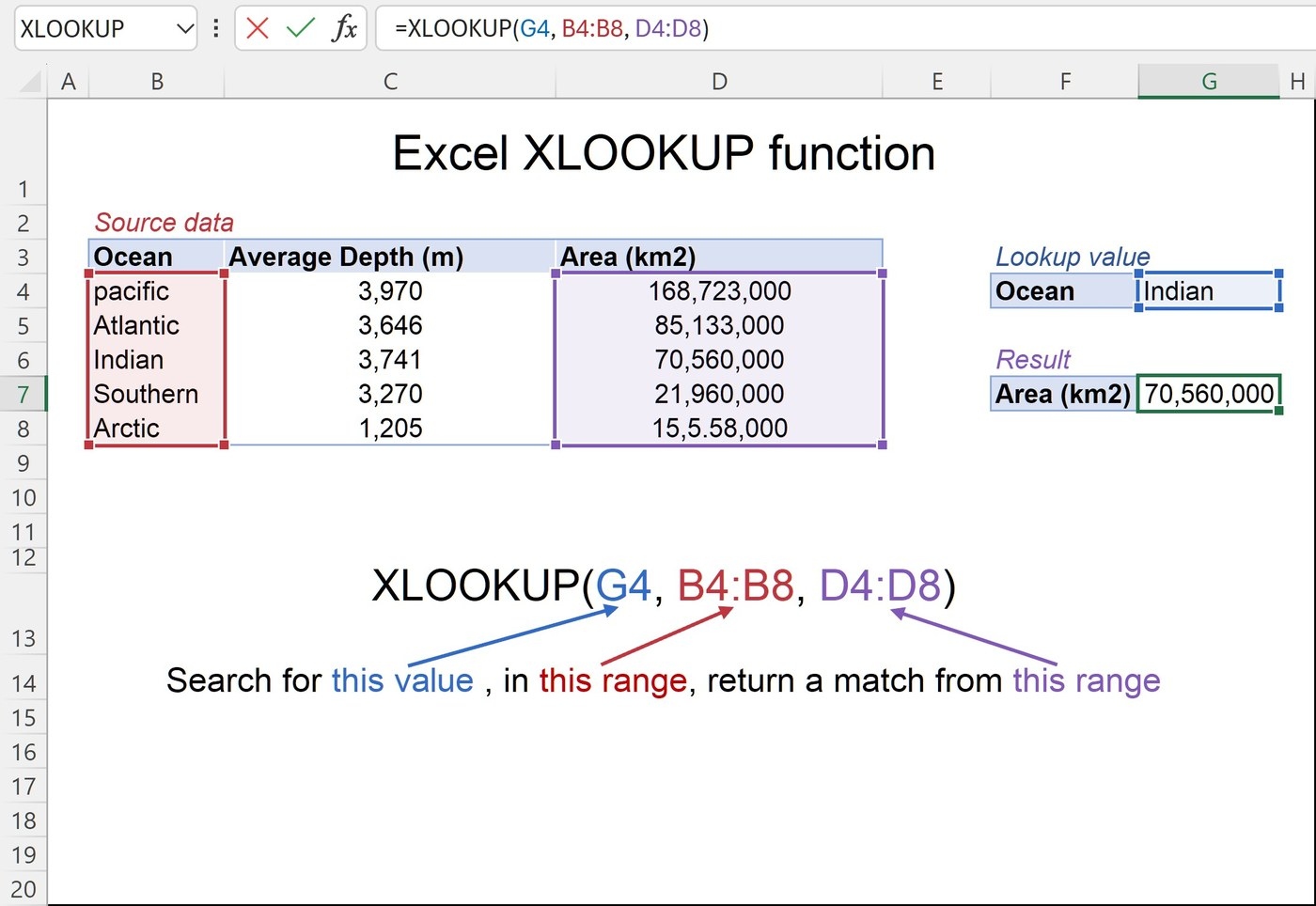
XLOOKUP searches for a specified value in a range or array and returns the related information from another range.
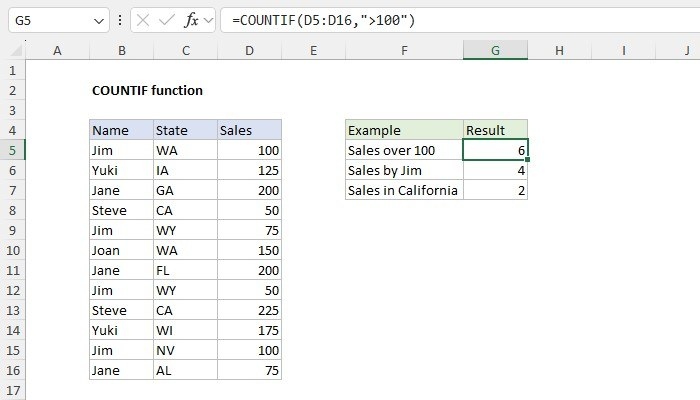
COUNTIF counts cells meeting a specified condition, with one argument for the range and another for the criterion.
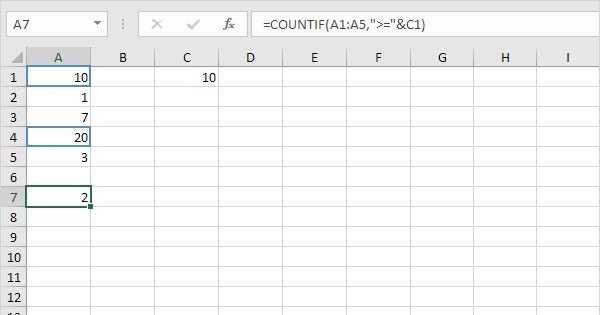
COUNTIF evaluates one criterion over a range.

COUNTIF can count how often a particular label occurs within a selected range.
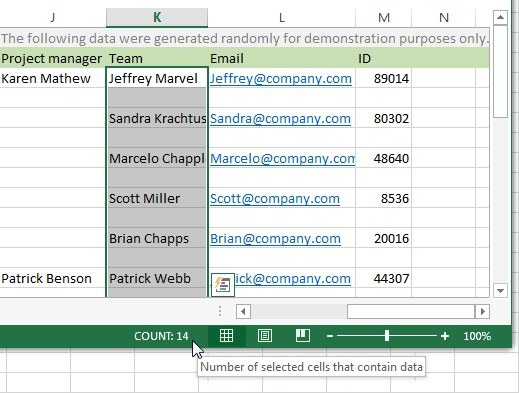
Excel offers several ways to count nonblank cells, including the status bar, Find and Replace, and formulas.

