 SheetWorkflow Guide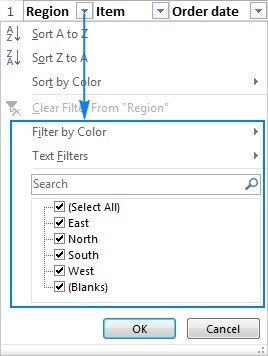
Separate filtering from sorting
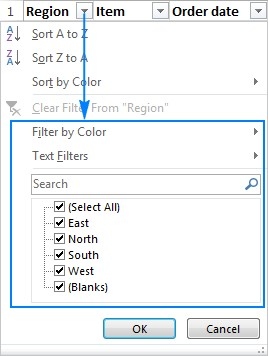
Excel's filter controls show the rows that match selected values or conditions while hiding the rest from view. The source distinguishes this from sorting, which changes the order of the records. Filters can operate on text, numbers, dates, formatting, or other available criteria. Choose the operation according to whether the task is to focus on a subset or reorganize the complete list.
Keep the visible result tied to a clear criterion
Once filtered, the displayed rows can be used for tasks such as review, editing, charting, or printing. Check which conditions are active so the reduced view is not mistaken for the whole dataset. The article also discusses removing filters and addressing problems with their operation. Filtering is valuable because the underlying table remains available; clear or adjust the conditions whenever the next task requires a different part of the information.




















Comments (0)