 SheetWorkflow Guide
A timeline gives a PivotTable a visual date filter instead of requiring repeated manual selection of individual dates. Click in the PivotTable and use Insert Timeline on its Analyze tab. Select the relevant date field in the dialog and confirm the choice to add the control.
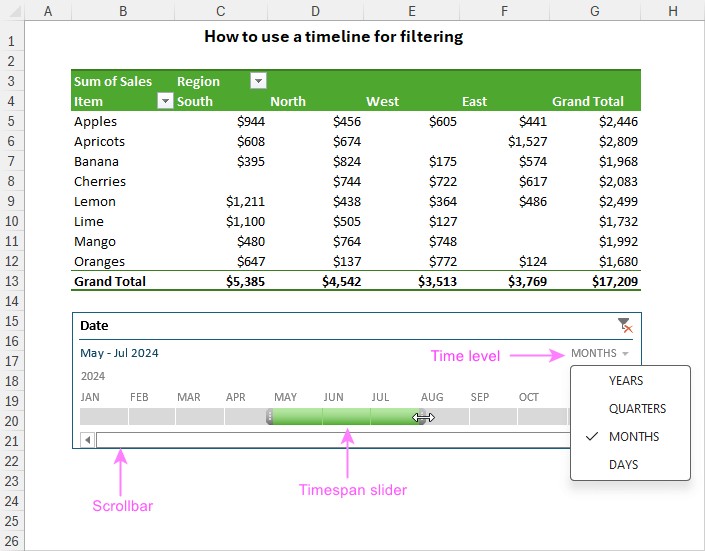
The timeline can focus the report on years, quarters, months or days, with a slider defining the visible period. The underlying data needs a usable date field even if that field is not currently displayed among the table's row or column labels. Check the chosen range against the report's purpose so a visually tidy chart does not accidentally omit the period readers expect to see.



















Comments (0)