 SheetWorkflow Guide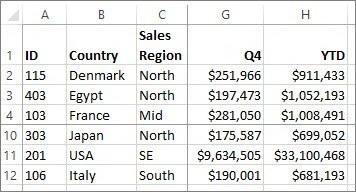
Use the dedicated single-row and single-column controls
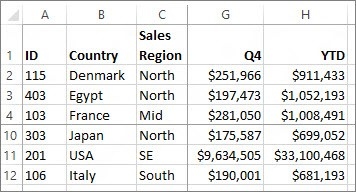
Excel for Mac provides View commands to freeze the top row or the first column. A darker boundary indicates which area is fixed. These options are useful for a straightforward table whose headings or identifiers would otherwise disappear during navigation. The source notes that Normal view may be needed if the freeze buttons are unavailable, so check the current view before assuming the feature is missing.
Select the boundary for a larger fixed area
To retain the top row and first column together, select B2 and use Freeze Panes. For a larger area, select below the last required row and to the right of the last required column. The source emphasizes that the frozen block starts at the top or left edge of the worksheet. It is therefore important to plan the boundary around the table's actual headings rather than expecting an arbitrary interior block to stay fixed.




















Comments (0)