 SheetWorkflow Guide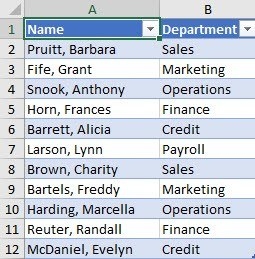
Use the meaning of the data
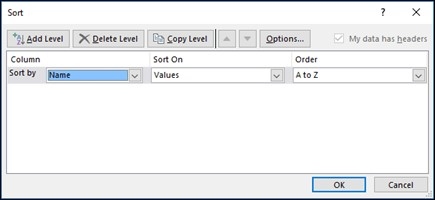
Excel can order text alphabetically, numbers from smallest to largest, and dates from earliest to latest, with corresponding reverse orders. The source also describes multiple-column sorts, custom lists, colors, and icons. Select the order according to what the field represents. A ranked list such as Large, Medium, and Small requires a meaningful custom sequence rather than an alphabetical result that looks orderly but communicates the wrong priority.
Keep each record together
Sorting is useful for finding and comparing information, but the relevant range must preserve the relationship among the fields. Decide which column supplies the primary key and whether another key is needed for ties. For questions about only the highest or lowest records, filtering or conditional formatting may be more appropriate than merely reordering the entire table. The purpose of the operation should remain clear before and after the data moves.




















Comments (0)