 SheetWorkflow Guide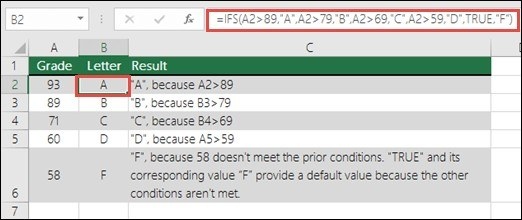
Understand the first-true behavior
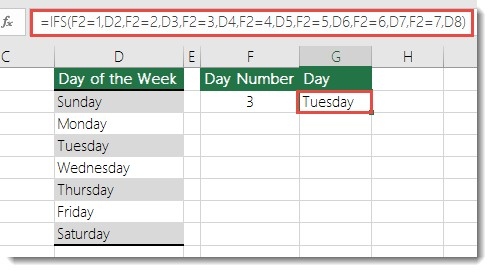
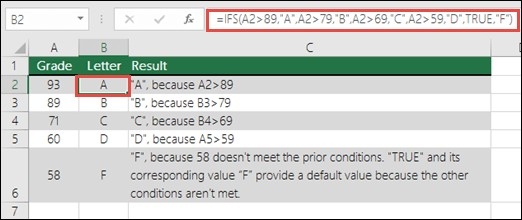
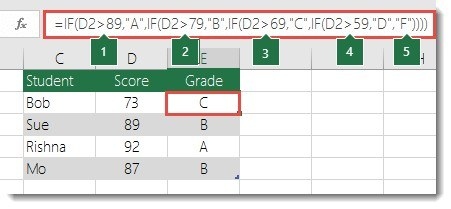
IFS tests conditions in order and returns the value associated with the first one that evaluates to true. The source presents it as an alternative to several nested IF expressions. The ordering matters because a later condition is not selected once an earlier one has already qualified. Begin by arranging the conditions according to the intended decision process, especially where several tests could describe the same record.
Avoid replacing one unreadable formula with another
Although IFS supports many conditions, the source discourages excessive complexity because long expressions remain difficult to test and update. Confirm that the function is supported in the Excel versions used by the workbook's readers. Test the boundaries between outcomes and keep the conditions understandable. The benefit is a clearer expression of the rule, not simply fitting the largest possible number of decisions into one cell.





Comments (0)