 SheetWorkflow Guide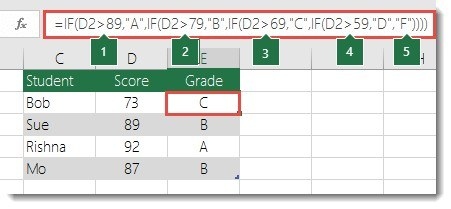
Recognize when one decision contains another
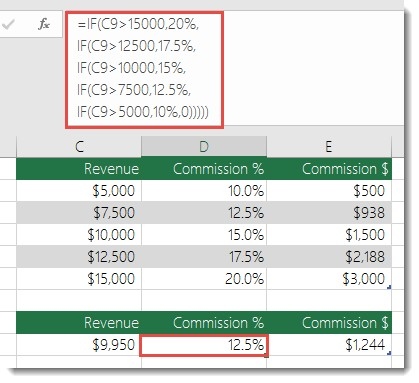
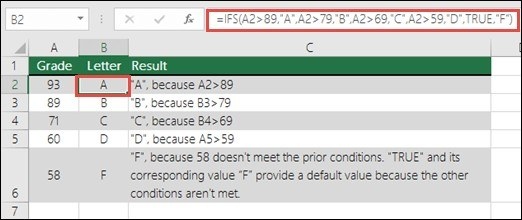
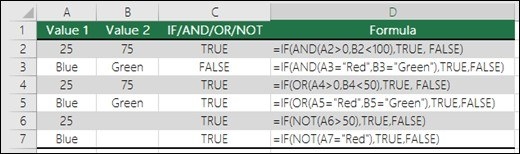
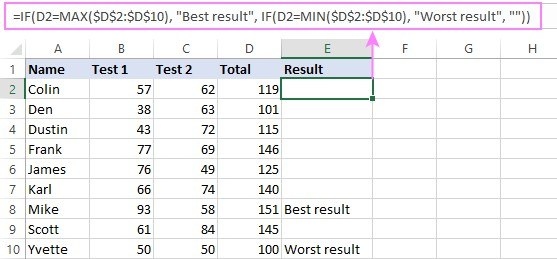
Nesting places one function inside another, allowing IF to evaluate more elaborate situations than a single comparison. The source warns that the same flexibility can create formulas that are difficult to build, test, and maintain. Before adding another layer, describe the sequence of decisions and the expected outcome at each stage. Complexity should follow the actual rule rather than become a substitute for understanding it.
Test the boundaries between outcomes
Several branches need careful ordering so the intended condition produces the intended result. Review cases around the thresholds or category boundaries, not only obvious examples at the extremes. A long formula may still return believable labels while sending some records down the wrong branch. Keep the structure as simple as the task permits, and make future maintenance part of the decision when considering whether more nested IF statements are appropriate.





Comments (0)