 SheetWorkflow Guide
Tabs inside one Google Sheets file can share data through direct references. A formula such as =July!A2 displays the value from cell A2 on the July tab. Sheet names containing spaces need single quotes, as in ='July 2022'!A2. This creates a connection to the source rather than a separate copied value.
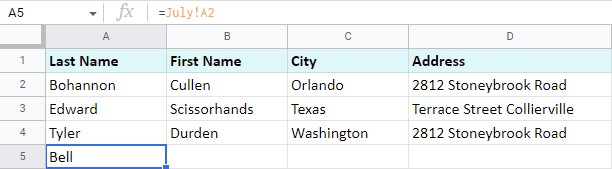
Relative references can then be filled across or down to bring in a larger area, provided the arrangement of the source matches the intended report. Changes in the original cells can update the linked results. Referencing another spreadsheet file requires a different tool, such as IMPORTRANGE. Decide first whether the task needs a living connection or a fixed snapshot, since those outputs behave differently when the source changes.



















Comments (0)