 SheetWorkflow Guide
Select labels alongside the values
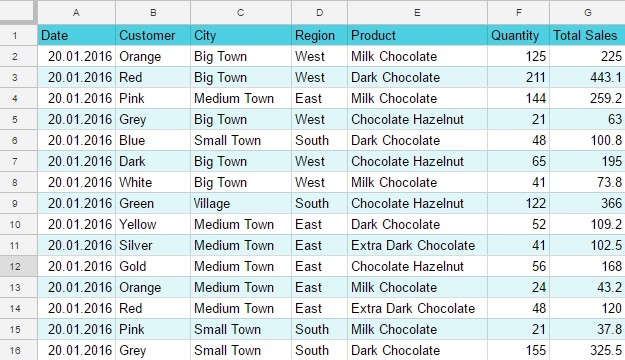
A useful chart begins with a well-defined source range. The source recommends including the row and column headers so the graph has meaningful labels as well as numbers. Its example follows product sales over time, showing how the same table can support different visual summaries. Decide which comparison the audience needs before selecting data, rather than inserting a chart from whatever cells happen to be highlighted.
Match the visual form to the relationship
The article uses column and line charts to explore sales changes and discusses circular diagrams for composition. This connects the choice of chart to the kind of question being answered. A report should make patterns easier to understand than the raw figures alone. Review the resulting labels, series, and arrangement to ensure the chart communicates the intended relationship instead of simply adding decoration to the spreadsheet.



















Comments (0)