 SheetWorkflow Guide
Edit the rule for the intended cells
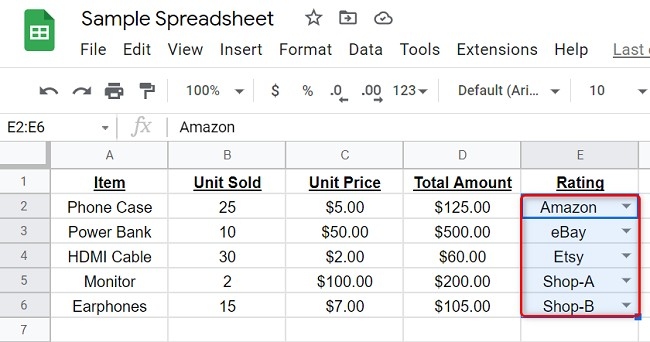
The source describes selecting the cells containing a dropdown and opening Data, Data validation to revise the accepted items. This allows one set of dropdowns to change without necessarily altering every list in the workbook. Add or remove choices according to the updated workflow, then confirm the configuration. The rule should describe the values people are currently expected to enter, not preserve an outdated set of labels indefinitely.
Review values already entered under the previous rule
Removing an option does not automatically resolve cells that previously used it. The source notes that such entries may become marked as invalid, requiring a suitable replacement. Inspect those existing values after changing the list. Maintaining a dropdown therefore includes both updating the available choices and reviewing their effect on the current records. This keeps an apparently improved input rule from leaving old information inconsistent or difficult to interpret.



















Comments (0)