 SheetWorkflow Guide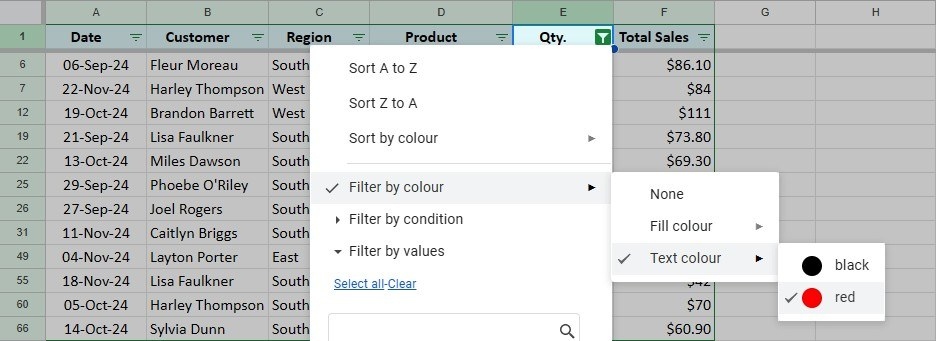
Define the intended table before filtering
A filter temporarily hides rows that are outside the selected criteria; it does not remove the underlying records. The source recommends checking the selected range, especially if blank rows or columns could interrupt the automatically recognized table. For a specific section, select the intended cells or columns first. Then use Data, Create a filter, or the toolbar's filter control to add the filtering tools to the column headers.
Keep navigation and collaboration in mind
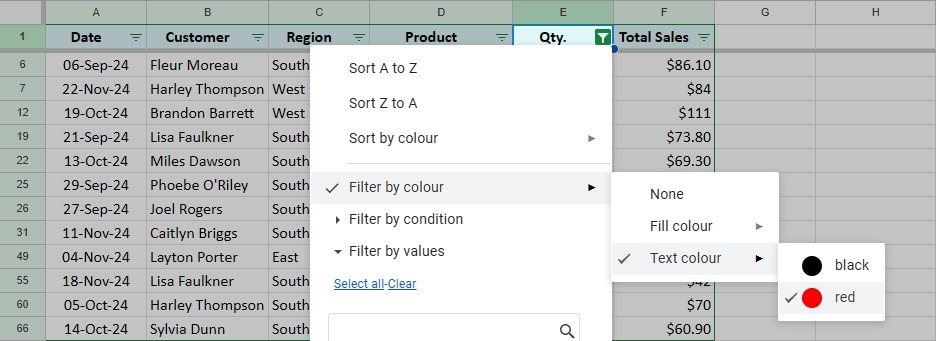
Freezing the header row can make filter controls easier to reach in a long table. Criteria may focus on values, conditions, dates, or colors, depending on what the analysis needs. In a shared spreadsheet, also consider whether the chosen filtering method affects other people. The important distinction is between narrowing the current view for a task and permanently changing the dataset that everyone relies on.




















Comments (0)