 SheetWorkflow Guide
Excel can add a trendline or moving average to an appropriate chart series. Select the series and open the trendline options, then choose a model that suits the pattern being examined. The formatting pane also provides forward and backward projection settings for supported trendlines.
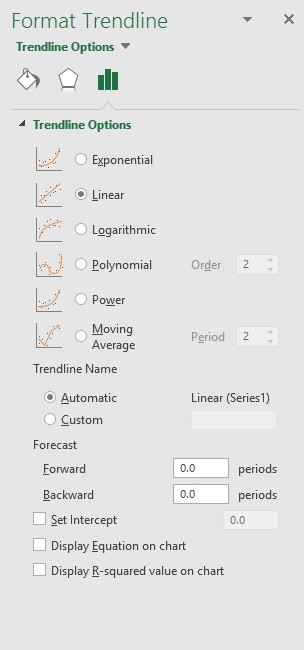
A moving average smooths short-term variation using a chosen period. Increasing that period changes the smoothing and reduces the number of resulting plotted points. Keep the original observations visible enough to understand what has been smoothed, and treat a projected line as a model-based extension rather than a guaranteed future result.



















Comments (0)