 SheetWorkflow Guide
Excel's Quick Analysis tool appears beside a selected range and offers access to tables, charts, sparklines, and other analysis options. The Ablebits guide describes it as a convenient route for exploring a dataset without navigating several separate menus.
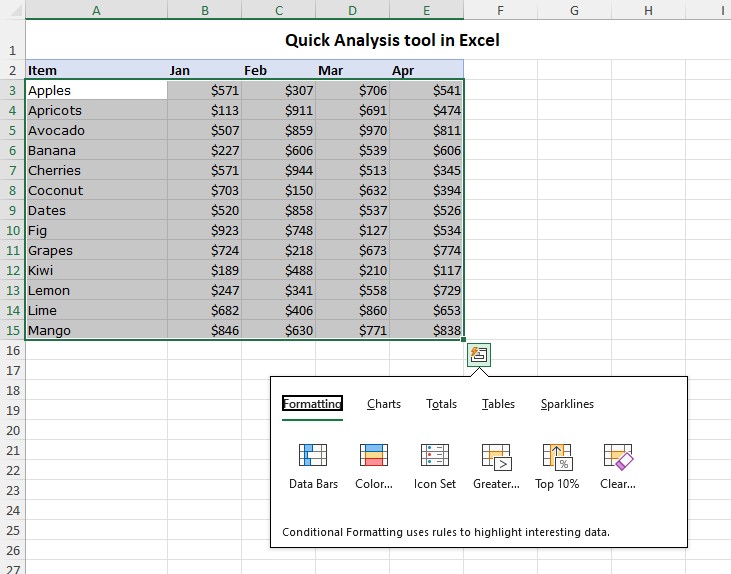
Select a meaningful range first so the suggested operations use the intended values and headings. Preview an option and check whether it answers the reporting question instead of choosing it solely because it looks polished. Quick access changes the workflow, but the source data and chosen calculation still determine whether the resulting report is useful.



















Comments (0)