 SheetWorkflow Guide
Excel's Format Data Labels pane controls which information appears beside chart values, including category names, series names and percentages where supported. Select a data label and open its formatting options, or use the chart element menu to reach additional label settings. Choose the information that helps readers interpret the specific chart.
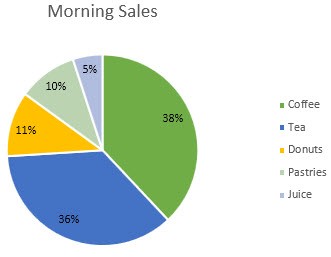
Labels can also change shape, size and appearance. Leader lines connect a moved label to its data point when the chart supports them. Use those options to resolve crowded areas, checking that the connection remains clear and that extra label content does not obscure the plotted information.



















Comments (0)