 SheetWorkflow Guide
Analyze Data in Excel can produce visual summaries and suggested insights from a selected range. Select a cell in the data and open Analyze Data from the Home tab to display its task pane. The feature can respond to natural-language questions and offer tables, charts or PivotTables that can be inserted into the workbook.
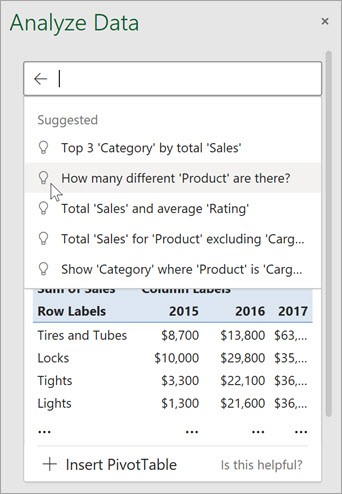
Microsoft previously called the feature Ideas. Its availability depends on the Excel environment and applicable service settings, so check support before building a required workflow around it. Review every suggested result against the original columns and business question before including it in a finished report.



















Comments (0)