 SheetWorkflow Guide
Excel chart patterns can help distinguish data series when color printing is unavailable. The Ablebits guide demonstrates pattern fills using different foreground and background settings. Separate patterns allow bars or other filled series to remain recognizable in a monochrome printout.
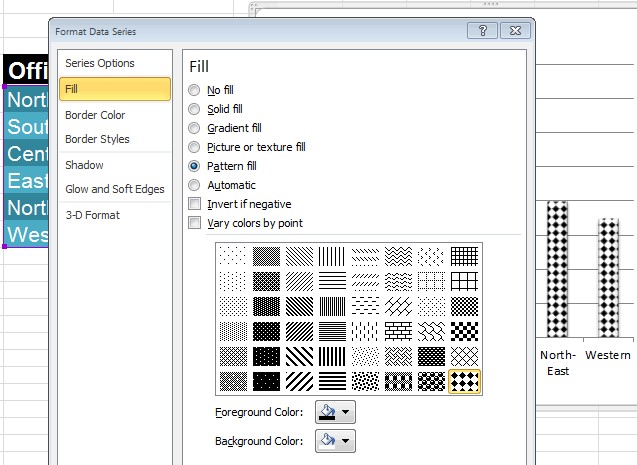
Choose visibly different patterns rather than relying on small color changes that disappear during photocopying. Check the chart at its final printed size, since dense fills can become difficult to distinguish when reduced. Labels and a clear legend can reinforce the pattern choices so the report remains understandable beyond the original screen display.



















Comments (0)