 SheetWorkflow Guide
Slicers provide clickable controls for filtering an Excel PivotTable. Microsoft's guide adds them through PivotTable Analyze, with one slicer created for each selected field. Their visible buttons help readers see which selections shape the current summary.
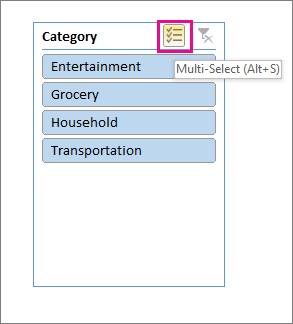
Arrange and size the controls so they do not cover the report. Manual label or value filters can narrow the results further, so check the combined filtering state before presenting totals. A filtered summary should make its scope clear; an apparently missing category may simply have been excluded by a control.



















Comments (0)