 SheetWorkflow Guide
Excel lets you reposition data labels through preset locations or by dragging them. Click a label once to select the series labels, then select an individual label when only one needs attention. The available placement choices depend on the chart type, so a location offered for a pie chart may not appear for another chart.
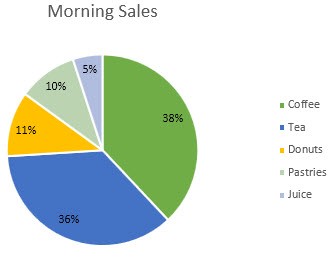
Use the chart elements menu to try a suitable position before making individual adjustments. Inspect labels near small or overlapping values at the final display size. If a label adds clutter without helping interpretation, select it and delete it rather than compressing the entire chart around it.



















Comments (0)