 SheetWorkflow Guide
External workbook references can appear in formulas, defined names, objects, and charts. The Ablebits guide explains why one simple search does not necessarily locate every linked item. A cell search is a useful starting point, but it is only part of the audit.
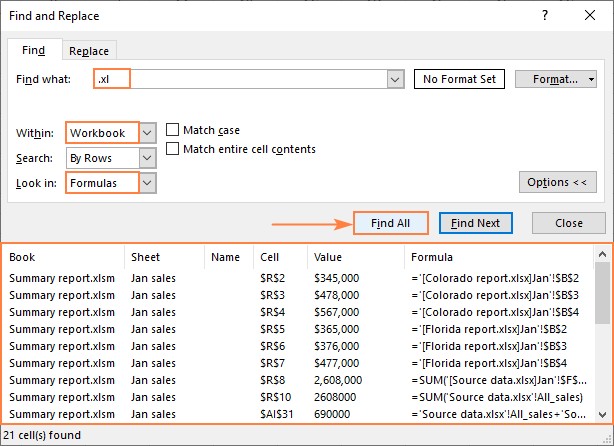
The example searches for .xl to help identify several Excel filename extensions and lets the search scope cover a sheet or the workbook. Review each link's role before breaking it, since removing a connection changes future updates. Check other reference locations when the workbook still depends on an unexpected external source.



















Comments (0)