 SheetWorkflow Guide
CLEAN removes nonprinting characters from Excel text, including line-break and control characters described in the Ablebits guide. It can help when imported or pasted values appear normal but cause searches or comparisons to behave unexpectedly. The function accepts the text directly or a reference to the affected cell.
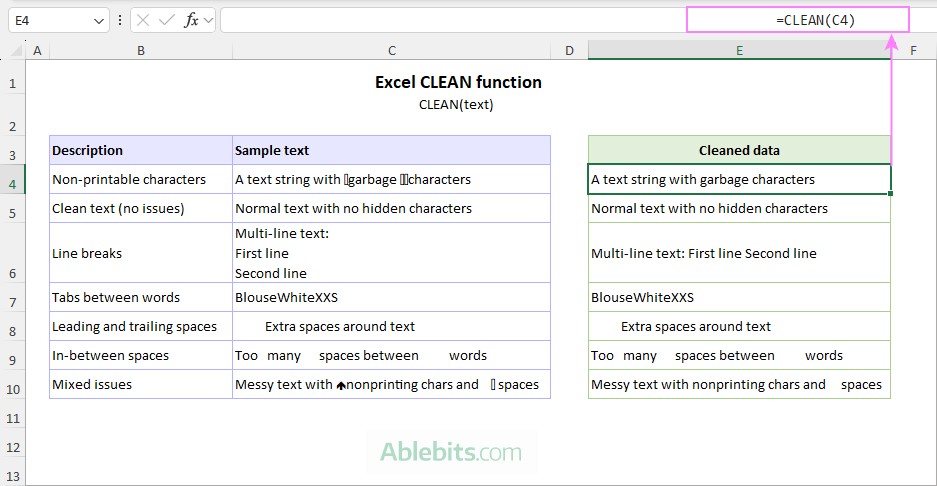
Use CLEAN when those characters are unwanted, since line breaks may sometimes be intentional content. Other types of whitespace can require additional functions rather than CLEAN alone. Compare a few original and cleaned entries before applying the transformation to an entire imported dataset.



















Comments (0)