 SheetWorkflow Guide
Choose the comparison columns deliberately
Google Sheets provides a built-in removal tool through Data, Data cleanup, Remove duplicates. The source recommends selecting the range, specifying whether it includes headers, and choosing which columns should be compared. Those decisions define what counts as the same record. Matching one identifier is different from requiring every selected field to agree, so settle that definition before deleting anything from the table.
Identify repeats when deletion is premature
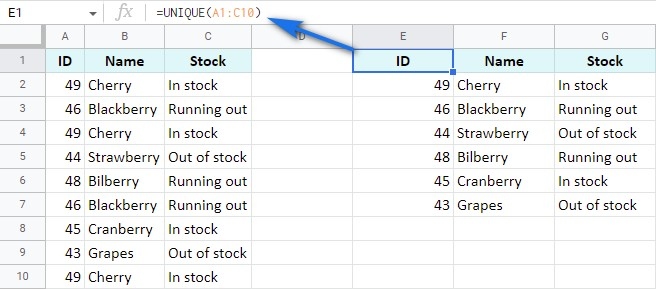
Formula-based methods can label or count duplicates while preserving all the original rows. The article distinguishes including the first occurrence from marking only later copies, and also discusses keeping a final occurrence instead. These are different analytical needs, not interchangeable versions of the same operation. Use a visible label or filtered result when the records still need review, and reserve removal for cases where the intended duplicate rule is already clear.



















Comments (0)