 SheetWorkflow Guide
Excel's Find and Replace can search within a selected range, a worksheet, or a workbook. Selecting the intended range before opening the dialog helps keep a cleanup focused. Ctrl+F opens Find, while the broader dialog provides additional search and replacement options.
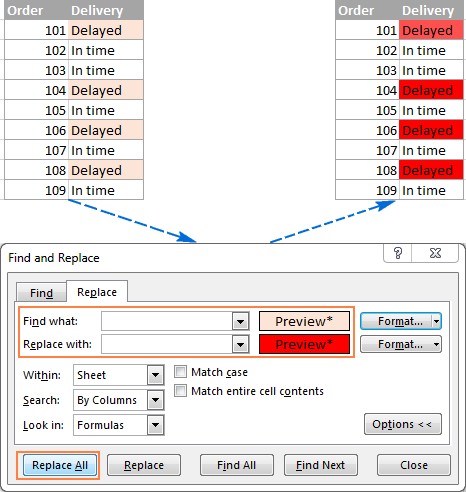
The Ablebits guide also discusses wildcards, formulas, and formatting-based searches. Check those settings before interpreting an apparent missing match or using a broad replacement. Inspect a few found cells first so a rule meant for one field does not unexpectedly change similar text elsewhere. Search scope is part of the cleanup decision, not just a convenience setting.



















Comments (0)