 SheetWorkflow Guide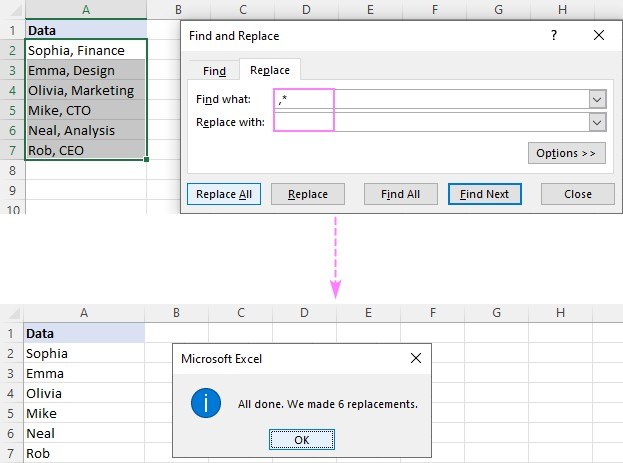
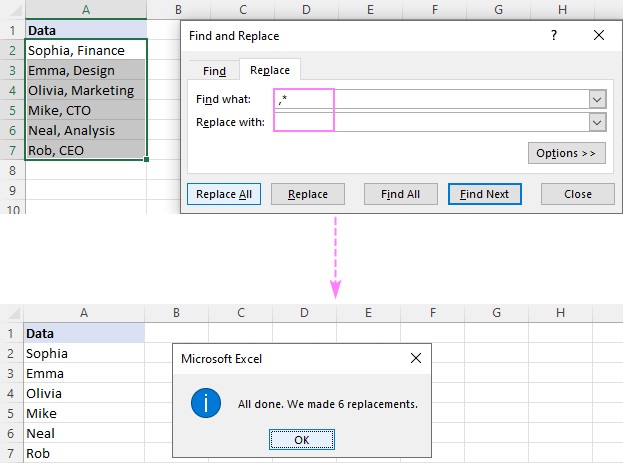
Excel can remove text before or after a delimiter using Find and Replace, Flash Fill or formulas. With Find and Replace, an asterisk represents the unwanted text: a comma followed by an asterisk removes the comma and everything after it. Leave the replacement field empty and restrict the selection to the intended cells.
For results that preserve the source, combine SEARCH with LEFT or RIGHT in a separate column. These examples target the first delimiter occurrence, while FIND provides case-sensitive matching. Check repeated delimiters and spaces before applying the method widely, because they can change which characters should remain.




















Comments (0)