 SheetWorkflow Guide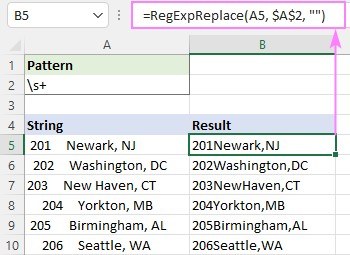
The Ablebits tutorial explains why ordinary TRIM may leave tabs and line breaks behind: it targets the standard ASCII space character. Its examples instead use a custom VBA RegExpReplace function to match several whitespace types. This particular method requires installing the supplied function and saving the workbook in a macro-enabled format.
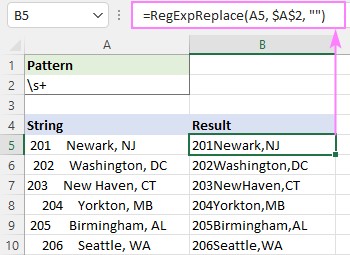
Replacing a run of whitespace with an empty string removes all matching separation, while replacing it with one space keeps words apart. Additional beginning and ending patterns remove edge whitespace. Choose the pattern carefully when line breaks carry useful information, and test representative cells before cleaning the complete dataset.




















Comments (0)