 SheetWorkflow Guide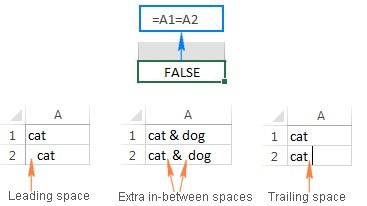
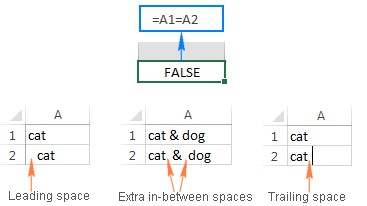
Leading, trailing, and nonbreaking spaces can cause Excel values that look identical to compare differently. Trailing spaces are especially easy to miss because they sit beyond the visible word. These small differences can interfere with lookups and other matching calculations.
The Ablebits guide distinguishes ordinary spaces from other whitespace and discusses formulas as well as optional tools. Identify the actual character before choosing a cleanup method. Removing every internal space may damage meaningful names or descriptions, so preserve intended word separation. Test the cleaned values against the failing comparison before replacing the original column.




















Comments (0)