 SheetWorkflow Guide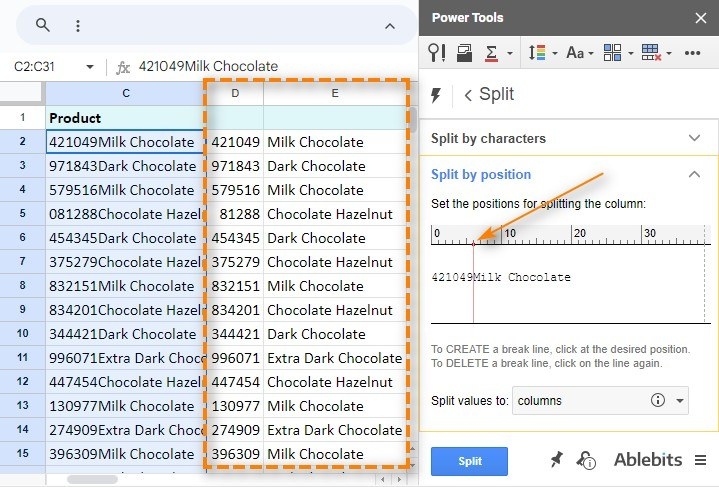
Choose the separator that describes the data
Google Sheets can divide text using the built-in Split text to columns tool or the SPLIT function. The source discusses separators such as commas, spaces, semicolons, and line breaks. A formula such as =SPLIT(A2, ",") uses the comma in a referenced cell to determine the resulting pieces. Start by inspecting the actual entries, because the separator must reflect the structure of the data rather than a preferred appearance.
Choose columns or rows deliberately
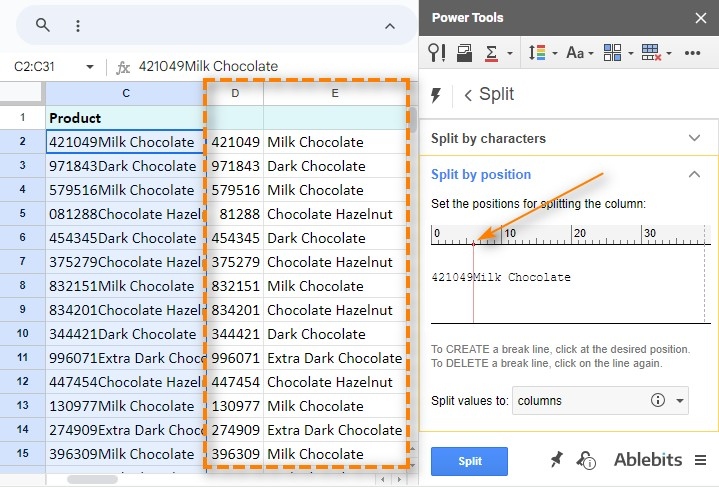
The built-in tool is suitable for straightforward separation by one delimiter. Formula combinations can address other arrangements, including using TRANSPOSE with SPLIT when the result should run down rows rather than across columns. The article also discusses specialized tools for more complex cases. Decide the intended output shape before applying the operation, and review the result so an unexpected separator inside a name or description does not divide the record incorrectly.




















Comments (0)