 SheetWorkflow Guide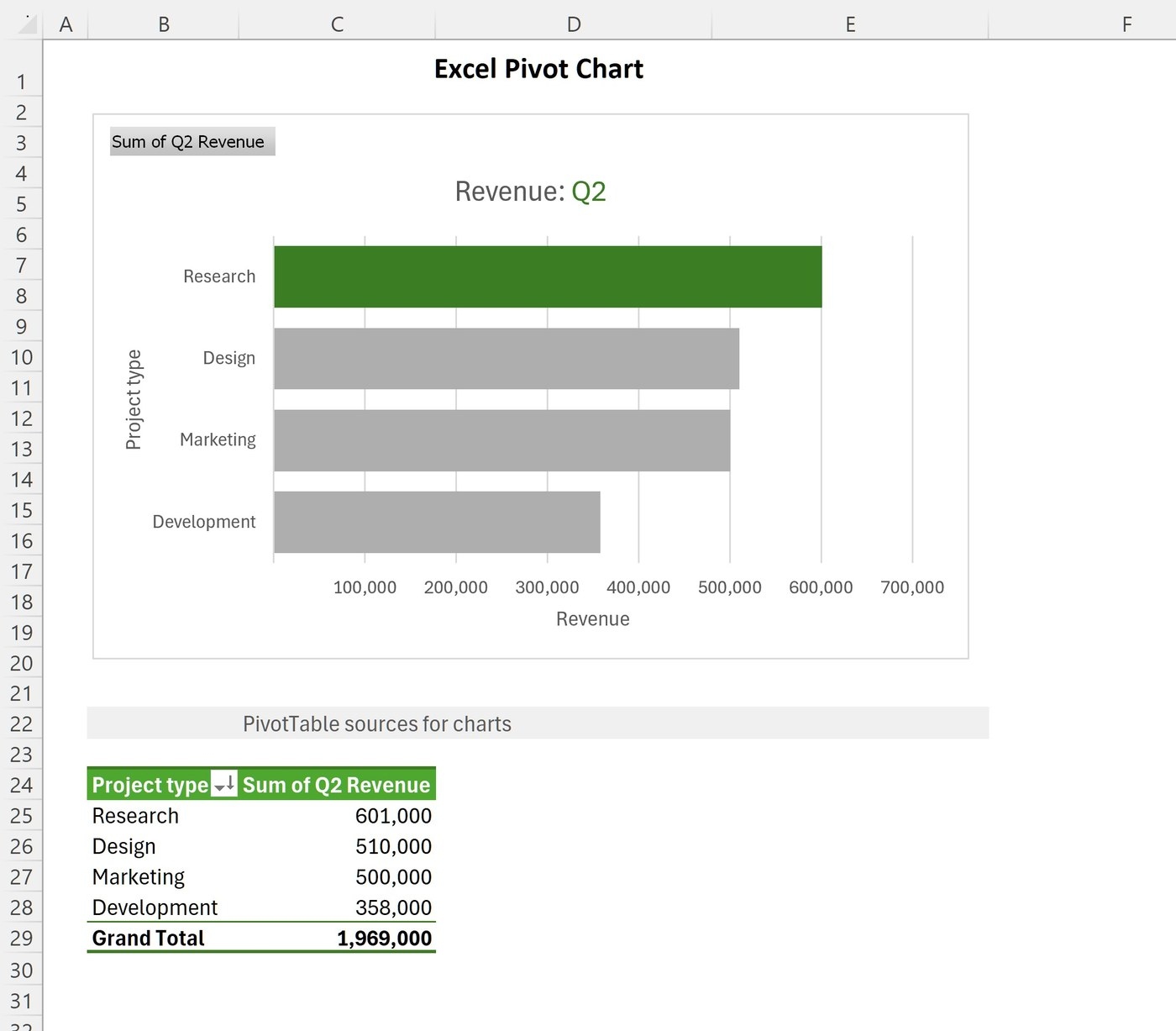
Visualize the summarized information
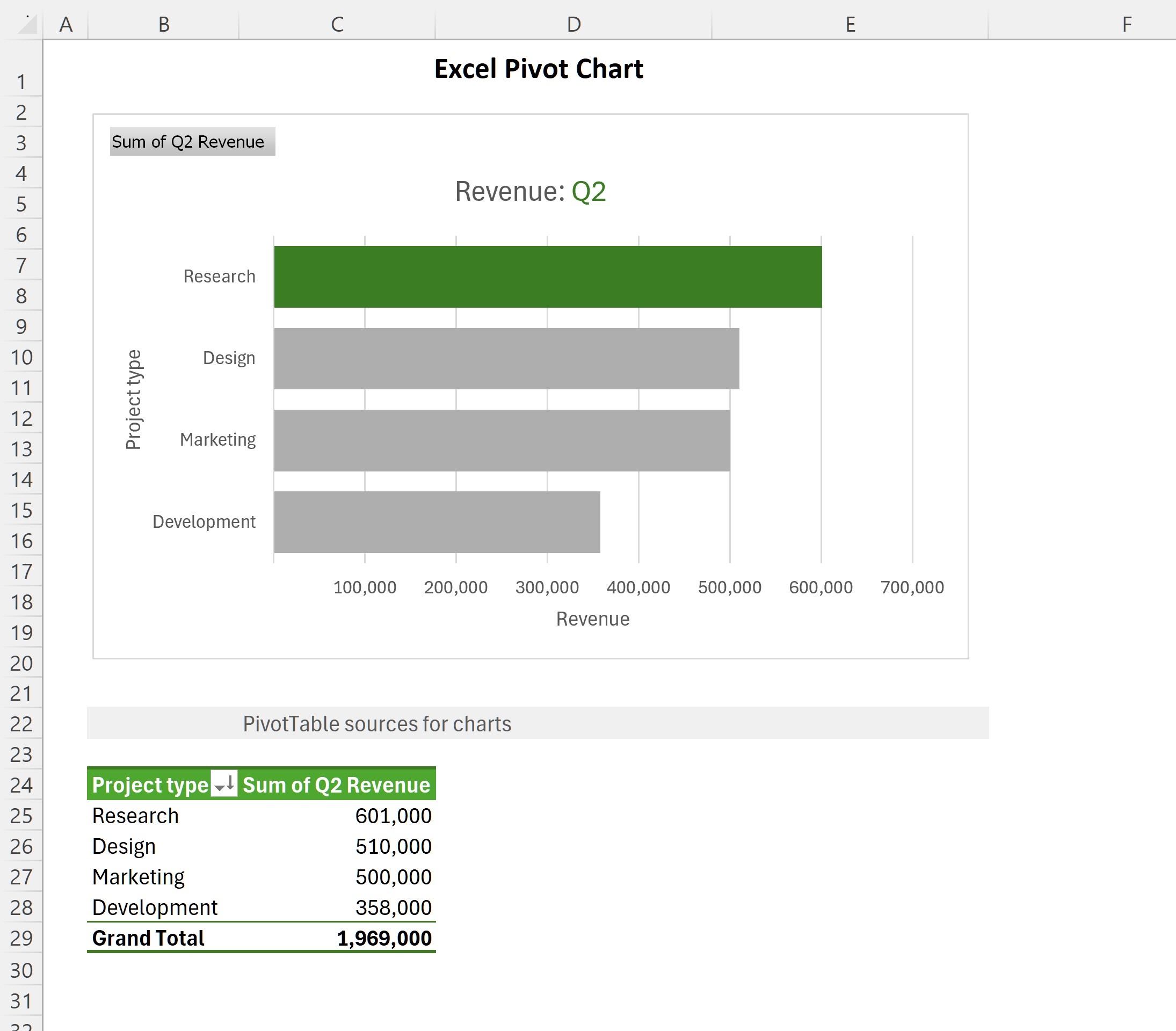
A PivotChart works with a PivotTable to show its summarized data graphically. The source explains that the chart can make trends, comparisons, and patterns easier to see than a large table of figures alone. Begin with the analytical summary and the question it answers. The chart should communicate that result rather than attempt to display every raw record at once.
Explore the data through the connected controls
Pivot charts are useful because their view can be changed as the related pivot fields and filters change. This makes them suitable for exploring different aspects of the same dataset. Choose a chart type that suits the comparison, then review the labels and series after changing the filters. Interactivity adds value only when the current view remains understandable. Keep the relationship between the source, the pivot summary, and the displayed chart clear to the report's reader.




















Comments (0)