 SheetWorkflow Guide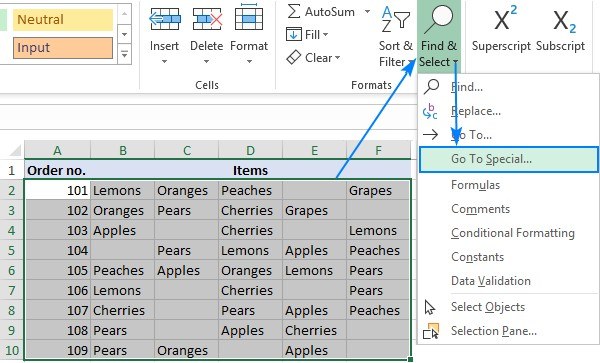
Delete Blank Excel Cells Only When Shifting Data Is Safe
Go To Special can select blank cells within an Excel range, after which the Delete command can remove them.
Go To Special can select blank cells within an Excel range, after which the Delete command can remove them.
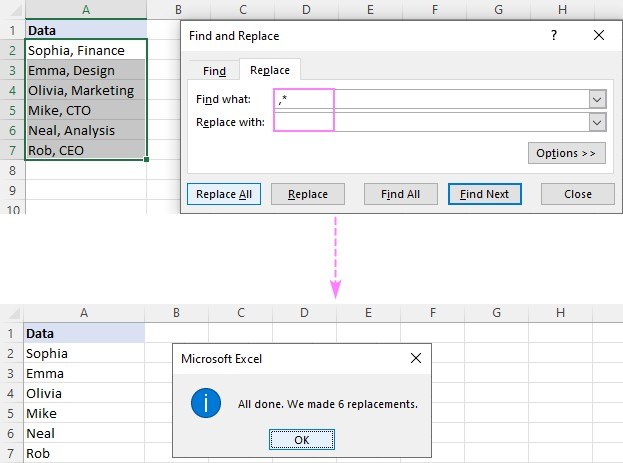
Excel can remove text before or after a delimiter using Find and Replace, Flash Fill or formulas.
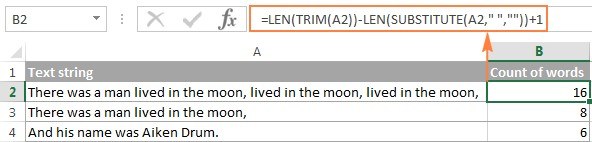
Excel can estimate word counts by combining LEN, SUBSTITUTE, and TRIM.
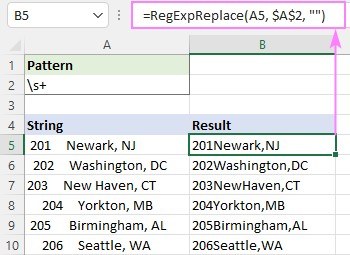
The Ablebits tutorial explains why ordinary TRIM may leave tabs and line breaks behind: it targets the standard ASCII space character.

TRIM can remove extra spaces from a text value or from text held in another cell.
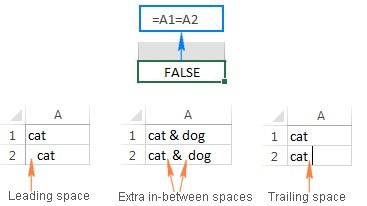
Leading, trailing, and nonbreaking spaces can cause Excel values that look identical to compare differently.

Google Sheets includes a Find and replace dialog accessible through Ctrl+H.
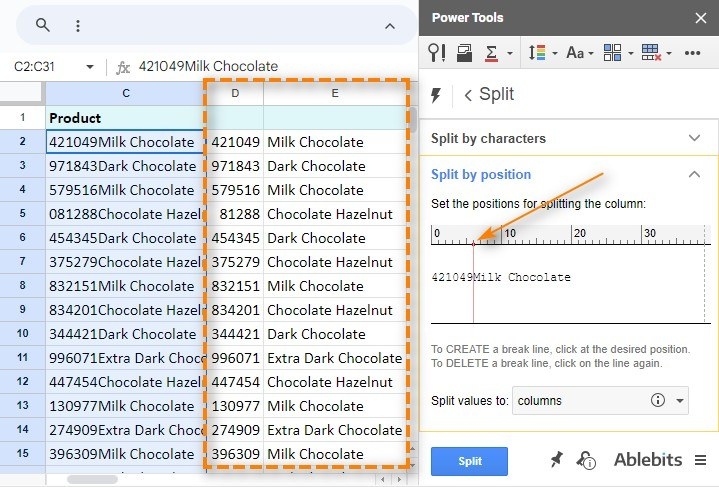
Google Sheets can divide text using the built-in Split text to columns tool or the SPLIT function.

LEFT, MID, RIGHT, SEARCH, and LEN can work together to separate parts of a text value.
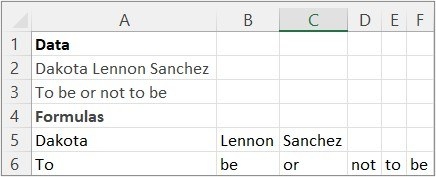
TEXTSPLIT divides a text value using column or row delimiters.

