 SheetWorkflow Guide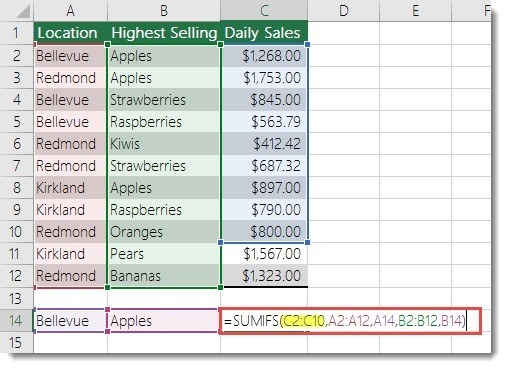
Confirm that the referenced workbook is available
The source lists references to a closed workbook among the causes of SUMIF and SUMIFS problems. Its suggested first response is to open the referenced workbook and refresh the calculation. This distinguishes an external-reference issue from an incorrect condition inside the formula. Identify where the inputs come from before rewriting a calculation that may otherwise be logically correct.
Inspect the arguments for other mismatches
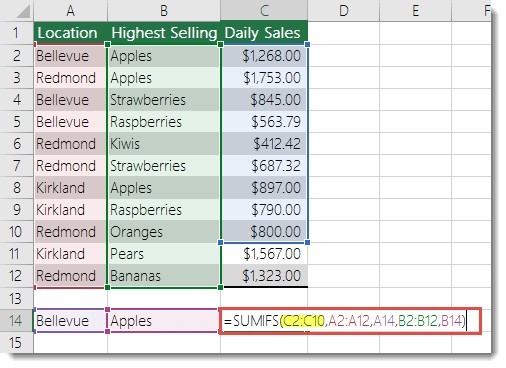
SUMIFS requires compatible dimensions for the sum range and criterion ranges, so unequal sizes are another important check. The article also warns about long criteria strings and describes ways to divide them when necessary. Work through these causes one at a time rather than masking the error with an unrelated replacement value. A corrected report needs the intended total, which requires understanding why the original calculation failed.





Comments (0)