 SheetWorkflow Guide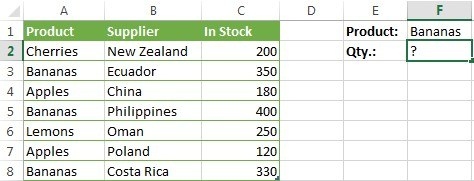
Choose what to test and what to total
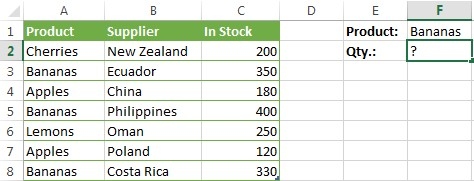
SUMIF provides a conditional total instead of adding every number in a range. The source describes a tested range, a criterion, and an optional separate range containing the values to sum. The criterion may involve text, numbers, dates, or a logical comparison. Distinguishing the tested information from the quantities being added makes it easier to build a formula that reflects the actual table.
Use the simplest function that matches the question
A single requirement is the natural starting point for SUMIF. Tasks with several conditions may call for SUMIFS or a different formula arrangement, rather than forcing extra requirements into the wrong argument. Review a few qualifying and nonqualifying records when testing the result. The benefit of a conditional total is selective analysis, so confirm that the selection rule is correct before relying on the sum in a report or later calculation.





Comments (0)